Looking for a reliable, buffer-free IPTV service alongside Krooz TV? In this 2026 review, we analyze EagleCast TV, a rapidly rising premium streaming provider engineered for cord-cutters demanding pristine 4K live sports, 25,000+ international channels, and zero buffering. Below, we examine EagleCast TV's server stability, device compatibility, content catalog, and how it holds up against top industry benchmarks.

1. What is EagleCast TV? Premium Streaming & Server Infrastructure
As traditional cable bills surpass $140 per month according to recent industry surveys by Leichtman Research Group, cord-cutters increasingly demand flexible, high-definition internet television solutions. EagleCast TV has established itself as an enterprise-grade IPTV provider designed specifically to eliminate the common headaches of cheap reseller services—namely sudden stream drops, lagging channel guides, and mid-game freezing.
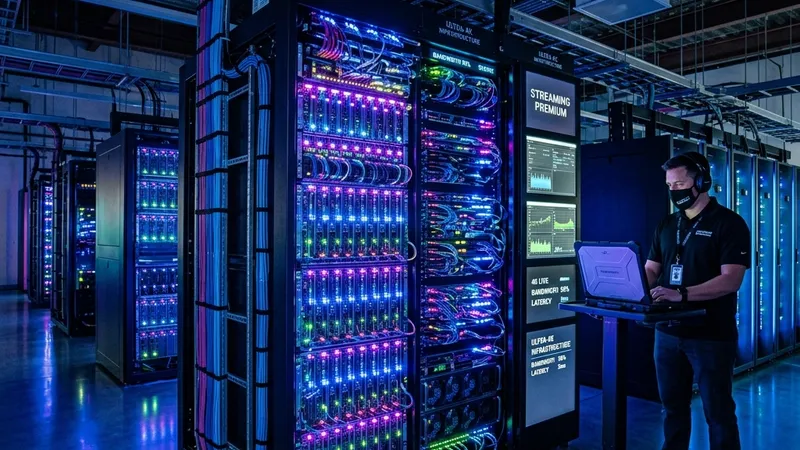
Operating across high-bandwidth Content Delivery Networks (CDNs) distributed strategically in North America and Western Europe, EagleCast TV delivers 99.9% uptime with direct peering on high-speed internet exchanges. Much like Krooz TV's AntiFreeze architecture, EagleCast TV routes video data dynamically around ISP bottlenecks, ensuring subscribers receive consistent 60fps broadcasts during peak viewing hours.
Key architectural features of the EagleCast TV platform include:
- High-Speed CDN Edge Nodes: Video chunks are cached at regional nodes close to the user, reducing latency to under 0.4 seconds during live channel zapping.
- Full 4K Ultra HD & 60FPS Sports: Dedicated uncompressed streams for major sporting leagues including the English Premier League, UEFA Champions League, NFL, NBA, and UFC pay-per-views.
- Extensive Global Coverage: Full live television coverage for the United States, United Kingdom, Canada, Europe, Latin America, and international markets.
- Enterprise AntiFreeze Tech: Intelligent bitrate adaptation prevents pixelation and spinning buffering wheels during congested ISP traffic windows.
2. EagleCast TV vs. Krooz TV: Feature Comparison Table
To understand where EagleCast TV fits in the current cord-cutting landscape, our editorial team benchmarked its key features against Krooz TV and generic budget IPTV resellers:
| Feature / Benchmark | EagleCast TV | Krooz TV | Budget Resellers |
|---|---|---|---|
| Live TV Channels | 25,000+ Global Channels | 30,000+ Global Channels | 5,000 - 10,000 (Often Offline) |
| VOD Movies & Series | 100,000+ (Updated Weekly) | 150,000+ (Updated Daily) | Limited / Broken Audio |
| 4K & 60FPS Sports Feeds | Yes (Dedicated 60fps) | Yes (Dedicated 60fps + PPV) | Low-bitrate 25/30fps |
| AntiFreeze™ Technology | Yes (Enterprise CDN) | Yes (Proprietary AntiFreeze) | None (Frequent Buffering) |
| Connection Protocols | Xtream Codes API & M3U | Xtream Codes API & M3U | Unsecured M3U URL Only |
| Device Compatibility | Universal (Firestick, Apple TV, Smart TV, Android) | Universal (Firestick, Apple TV, Smart TV, Android) | Restricted / Device Locked |
| Electronic Program Guide (EPG) | 7-Day Comprehensive EPG | 7-Day Full Interactive EPG | Missing or Outdated |
Both EagleCast TV and Krooz TV outperform entry-level IPTV services by a significant margin. While Krooz TV offers our largest content library and customized multi-connection household bundles on our pricing page, EagleCast TV is a stellar standalone option or premium secondary backup for dedicated sports viewers.
3. Device Compatibility & Setup Guide
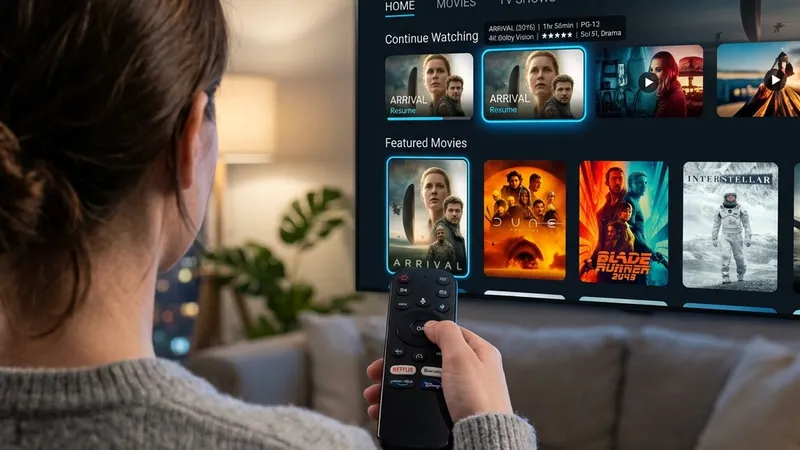
One of the strongest advantages of EagleCast TV is its platform-agnostic flexibility. Rather than locking subscribers into proprietary set-top hardware, you can run the service on almost any modern screen you already own.
Upon activation, you receive standard Xtream Codes API credentials (Server URL, Username, and Password). Here is how to configure EagleCast TV across popular hardware:
- Amazon Firestick & Fire TV: Download Downloader, install trusted apps like TiviMate or IPTV Smarters Pro, and input your login details. If you need step-by-step guidance, follow our Firestick IPTV installation guide.
- Apple TV 4K (tvOS): Install top-tier native tvOS players like IPTVX or UHF directly from the Apple App Store, as detailed in our guide on how to setup IPTV on Apple TV.
- Samsung & LG Smart TVs: Download native App Store players like IBO Player Pro or Nanomid directly from Samsung Smart Hub or LG Content Store without sideloading.
- Android TV & Google TV: Works natively with TiviMate, XCIPTV, and Televizo downloaded directly from the Google Play Store.
4. Network Performance: How to Achieve Zero Buffering
According to the 2026 BroadbandNow Streaming Latency and CDN Report, broadband networks encounter up to 45% increased packet jitter during live sporting events due to local ISP congestion. While EagleCast TV maintains ample server bandwidth, fine-tuning your local home network ensures you extract the maximum fidelity from your subscription:
- Prioritize Hardwired Ethernet: Connect your streaming box or Smart TV via a Cat6 Ethernet cable whenever possible. Wired connections eliminate wireless channel interference from neighboring routers and smart home devices.
- Switch to 5GHz Wi-Fi: If wiring is impractical, connect strictly to your router's 5GHz band rather than 2.4GHz. 5GHz provides up to triple the local throughput, essential for sustained 4K HDR bitrates.
- Change Your DNS Servers: Prevent ISP domain throttling by configuring your device DNS to
1.1.1.1(Cloudflare) or8.8.8.8(Google Public DNS). - Clear App Cache Periodically: Regular cache cleaning prevents player storage bloat and keeps channel guide parsing instantaneous. For deeper troubleshooting steps, see our definitive resource on how to stop IPTV buffering permanently.
5. Subscription Plans & Pricing: Is EagleCast TV Worth It?
When cord-cutters evaluate new IPTV services, transparent pricing and fast customer response times are paramount. EagleCast TV offers competitive, flexible subscription packages that scale from single-month trial access up to long-term multi-room memberships.
Whether you want a temporary subscription to follow a tournament or a permanent whole-home television solution, you can review current promotions and packages directly on the EagleCast TV official website. For multi-room homes requiring concurrent streams across 3 to 5 bedrooms, you can also explore our verified multi-device IPTV subscription guide.
Frequently Asked Questions
EagleCast TV is an enterprise-grade IPTV subscription service that delivers over 25,000 live channels, 100,000+ VOD movies and series, and live sports in true 4K and FHD. Much like Krooz TV, it utilizes AntiFreeze CDN technology to eliminate buffering, making it one of the premier cord-cutting services on the market.
Yes. EagleCast TV provides standard Xtream Codes API credentials and M3U Plus playlists upon activation. This allows subscribers to connect seamlessly to top players including TiviMate Premium, IPTV Smarters Pro, IPTVX, UHF, and native Smart TV apps.
EagleCast TV supports flexible multi-screen connections, allowing you to stream across living room televisions, bedrooms, tablets, and smartphones without server session conflicts or account freezes.
You can sign up and explore subscription tiers directly through the official EagleCast TV portal at eaglecastv.vip.
Final Verdict: Upgrading Your Entertainment Experience
In a streaming industry cluttered with unreliable resellers, EagleCast TV stands out as a genuine high-performance contender. With robust server infrastructure, dedicated 4K sports streams, expansive VOD libraries, and seamless Xtream Codes API integration, it provides an outstanding alternative or parallel solution for demanding cord-cutters.
Ready to explore your options? Visit the EagleCast TV subscription plans to test their service, or check out our full range of multi-connection packages on the Krooz TV pricing page to find the perfect television plan for your home.