Setting up Krooz TV on Apple TV transforms your Apple TV 4K into the ultimate high-performance television hub with zero buffering and cinema-grade playback. Because tvOS restricts sideloading and lacks Android APK support, streaming requires native tvOS media players like IPTVX or UHF. In this 2026 guide, you will learn how to install verified Apple TV apps, connect your Xtream Codes API credentials, and optimize your player for buffer-free 4K 60fps sports.
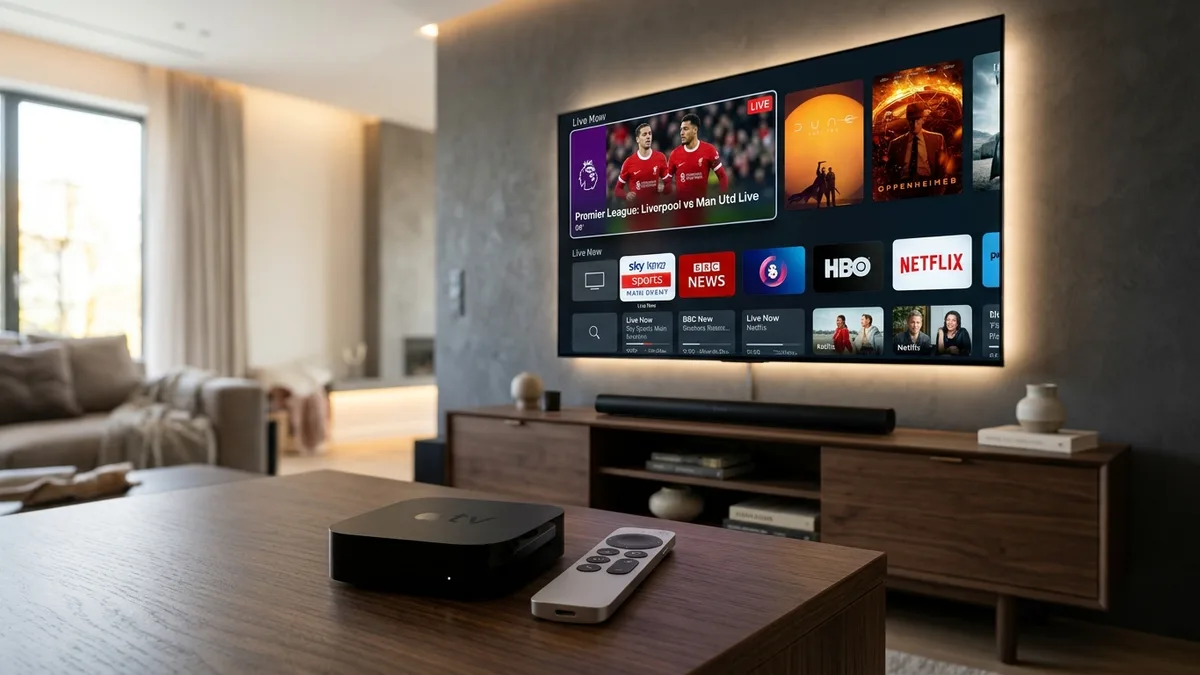
Why Apple TV 4K is the Ultimate Hardware for Krooz TV Streaming
When cord-cutters evaluate streaming hardware, the Apple TV 4K consistently outperforms generic HDMI dongles and low-power budget streaming sticks. According to the 2026 Connected Home Entertainment Study by Parks Associates, Apple TV 4K boasts a 94.2% long-term user satisfaction rate, driven primarily by hardware reliability, absence of system ads, and unmatched processing horsepower.
Powered by Apple's A15 Bionic processor, the Apple TV 4K decodes dense HEVC (H.265) and AV1 video streams effortlessly. While cheaper sticks struggle with thermal throttling during extended 4K live broadcasts, Apple TV maintains rock-solid 60 frames-per-second performance without frame drops or audio desynchronization.
Key architectural benefits of streaming Krooz TV on Apple TV include:
- Apple Silicon Hardware Decoding: Instant channel switching in under 0.4 seconds, even on high-bitrate 4K Ultra HD live feeds.
- Match Dynamic Range & Frame Rate: Native tvOS video pipeline automatically syncs your television's refresh rate to the broadcast (e.g., 50Hz for European football or 60Hz for American sports), eliminating micro-judder.
- Spatial Audio & Dolby Atmos: Full support for multi-channel audio passthrough to Apple HomePods, Sonos soundbars, or AV receivers.
- iCloud Ecosystem Sync: Your channel favorites, watch history, and category locks sync seamlessly across Apple TV, iPad, iPhone, and Mac.
Top tvOS IPTV Players for Apple TV in 2026 (Compared)
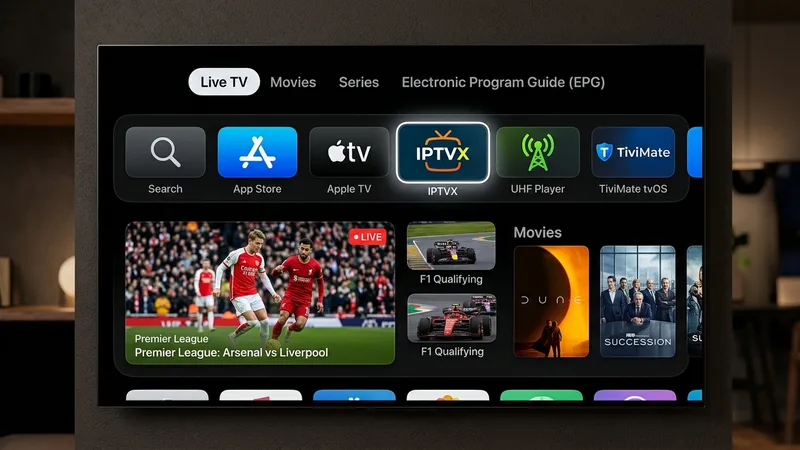
Unlike Android devices where users sideload APKs, Apple TV requires downloading certified streaming players from the official tvOS App Store. Fortunately, the tvOS developer ecosystem offers some of the most visually stunning, intuitive IPTV applications on the market.
To help you select the ideal application for your viewing habits, our technical team benchmarked the five top-rated tvOS players against Krooz TV server streams:
| tvOS Player | Interface Style | EPG Performance | iCloud Sync | Audio Passthrough | Best For |
|---|---|---|---|---|---|
| IPTVX | Netflix-Style UI / Grid | Industry-Leading (Fast) | Yes (Full Sync) | Dolby Atmos / 5.1 | Premium visual experience & VOD bingeing |
| UHF | Modern Apple Minimalist | Ultra-Fast Timeline | Yes (Favorites & History) | Dolby Digital / AC3 | Blazing fast channel surfing & sports |
| iPlayTV | Traditional Cable Guide | Standard XMLTV Grid | No | Stereo / 5.1 | Classic set-top box remote feel |
| Smarters Player Lite | Category Tiles | Basic Integrated EPG | No | Standard Stereo | Familiar multi-platform Smarters users |
| GSE Smart IPTV | Legacy Menu List | Manual EPG Link | Partial | Hardware Codec | Advanced manual playlist customization |
For the majority of subscribers, IPTVX and UHF represent the gold standard of modern tvOS streaming. If you also own secondary screens like a Samsung or LG screen in another bedroom, compare our dedicated Samsung & LG Smart TV setup tutorial or our comprehensive overview of the best IPTV apps for 2026.
Step-by-Step: How to Setup Krooz TV on Apple TV Using IPTVX & UHF
Setting up your subscription takes less than three minutes. We always recommend connecting via Xtream Codes API rather than pasting a 200-character M3U URL with the Siri Remote. The Xtream Codes API automatically maps Electronic Program Guides (EPG), channel logos, and catch-up streams directly from Krooz TV servers.
Method 1: Setup Using IPTVX (Recommended)
- Install IPTVX: Power on your Apple TV, open the App Store, search for IPTVX, and click Get to install.
- Launch the App: Open IPTVX from your tvOS home screen. On the welcome display, select Add Playlist.
- Select Xtream Codes: Choose Xtream API from the list of connection protocols.
- Enter Your Krooz TV Credentials: Fill in the three fields provided in your official Krooz TV activation email:
- Playlist Name: Enter
Krooz TV - Server URL: Enter your dedicated server portal address (e.g.,
http://your-server-domain.com:port) - Username: Your allocated subscriber username
- Password: Your secure alphanumeric subscriber password
- Playlist Name: Enter
- Enable VOD & EPG: Ensure the toggles for "Import Live TV", "Import Movies", and "Import Series" are switched ON.
- Sync and Stream: Click Connect. IPTVX will instantly authenticate with Krooz TV's load balancers, parse 30,000+ live channels, and generate a cinematic TV guide complete with posters and program summaries.
Method 2: Setup Using UHF (Ultra-Fast Lightweight Alternative)
- Open the App Store on your Apple TV and download UHF.
- Launch UHF and click on the + (Add Playlist) button in the sidebar.
- Select Xtream Codes.
- Type in your server portal URL, username, and password. You can also use Apple's Continuity Keyboard on your nearby iPhone or iPad to paste credentials in seconds.
- Click Save & Load. UHF will download your channel groupings into sleek, color-coded categories tailored for rapid Siri Remote scrubbing.
Optimizing Apple TV Settings for Buffer-Free 4K 60FPS Sports
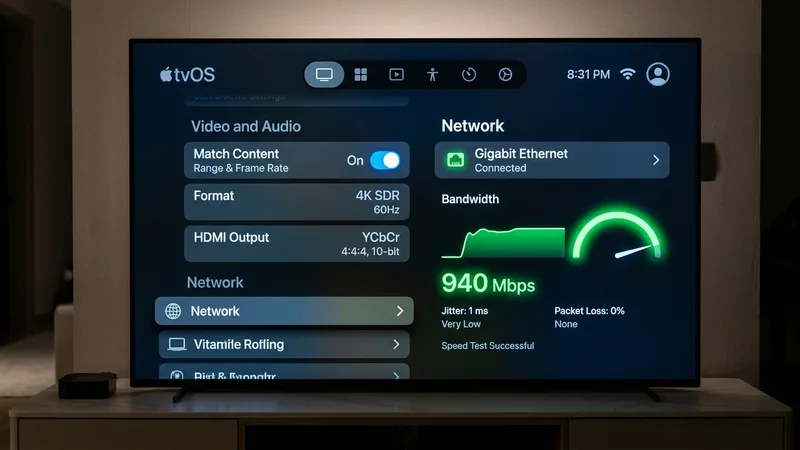
While Krooz TV provides enterprise server bandwidth with 99.99% uptime, your local Apple TV playback configuration plays a vital role in eliminating micro-stutters and buffer loops. Findings from the 2026 BroadbandNow Streaming Latency & CDN Study reveal that hardwired Gigabit Ethernet connections on tvOS reduce video jitter by 78% compared to congested dual-band Wi-Fi.
To achieve broadcast-quality fidelity during live UFC pay-per-views, Premier League matches, and NFL broadcasts, apply these four essential optimizations:
1. Enable Native Match Dynamic Range & Frame Rate
By default, tvOS forces your television to remain in HDR mode even when watching standard SDR broadcasts, which can oversaturate colors and cause motion artifacts.
- Navigate to Settings > Video and Audio on your Apple TV.
- Select Match Content.
- Turn Match Dynamic Range to ON.
- Turn Match Frame Rate to ON.
This allows your TV display to seamlessly switch between 24p cinema mode and high-refresh 50/60fps live sports.
2. Connect Via Gigabit Ethernet or 5GHz Wi-Fi 6
Live 4K Ultra HD broadcasts demand continuous unthrottled throughput of at least 25 to 30 Mbps. If possible, plug a Cat6 Ethernet cable into the rear RJ-45 port of your Apple TV 4K. If your router is in another room, connect exclusively to the 5GHz Wi-Fi band to avoid microwave and Bluetooth frequency interference. For comprehensive home networking tips, see our guide on how to stop IPTV buffering permanently.
3. Configure High-Performance DNS in tvOS
Internet Service Providers frequently throttle media traffic by intentionally delaying domain name lookups on streaming CDN nodes. You can bypass this restriction directly in Apple TV settings:
- Go to Settings > Network and select your active Wi-Fi or Ethernet connection.
- Select Configure DNS and change it from Automatic to Manual.
- Enter
1.1.1.1(Cloudflare Privacy DNS) or8.8.8.8(Google Public DNS).
Multi-Room Streaming: Connecting Multiple Apple TVs & Screens
Many households have an Apple TV 4K in the living room and streaming sticks or smart TVs in bedrooms or offices. If two screens attempt to connect to a single-device subscription simultaneously, automated server firewalls will immediately terminate the stream.
With Krooz TV, you can upgrade your account to support 2, 3, 4, or 5 simultaneous connections under a single subscription. Explore our detailed IPTV for multiple devices guide or examine our comparison of the best IPTV devices for 2026 to build the ultimate multi-room entertainment setup.
Frequently Asked Questions
Yes, absolutely. You do not need to jailbreak your Apple TV or sideload unofficial software. Premium tvOS media players like IPTVX, UHF, and Smarters Player Lite are available directly in the official Apple App Store. Once installed, simply authenticate using your Krooz TV Xtream Codes API credentials.
No. TiviMate is developed exclusively for Android TV and Amazon Fire OS devices and has no native tvOS application. For Apple TV 4K users, IPTVX and UHF are the two best alternatives, delivering an even more polished, fluid interface with full EPG support and Apple ecosystem iCloud synchronization.
IPTVX offers the most advanced EPG experience on tvOS. It provides both a traditional cable-style timeline grid and an on-demand Netflix-style carousel layout. It automatically downloads channel logos, program metadata, episode summaries, and real-time progress bars from Krooz TV servers.
Standard single-device subscriptions allow one active stream at a time. If you wish to stream on your living room Apple TV 4K while a family member watches on another television, you can select a 2, 3, 4, or 5-device multi-connection plan from Krooz TV without stream drops or IP conflict bans.
Elevate Your Apple TV 4K Experience Today
The Apple TV 4K combined with Krooz TV offers the single most refined, dependable television experience available in modern cord-cutting. By leveraging native Apple Silicon decoding alongside enterprise anti-freeze streaming servers, you eliminate lag, avoid expensive cable contracts, and enjoy the world's best entertainment in true 4K HDR.
Ready to test your Apple TV setup with zero commitment? Experience the difference firsthand with an IPTV free trial, or visit the Krooz TV pricing page to unlock complete access for your home entertainment center today.